On this page
It's possible to use Siri with our services and you can set it up for nearby flights and airports. Below you'll find instructions on how to set up each of these options.
Nearby flights
1. Go to our app
2. Tap in the top search bar
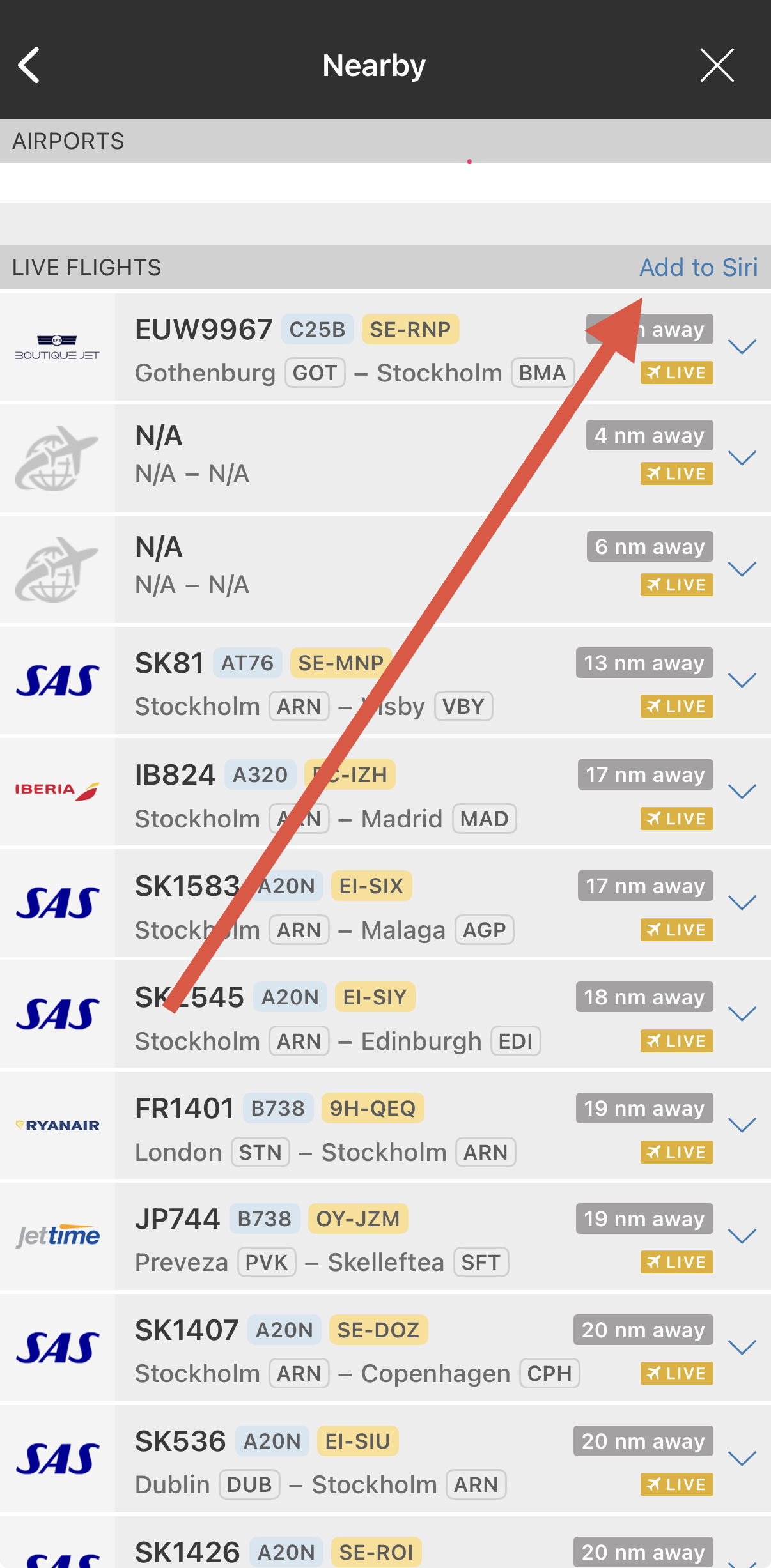
3. Select the “Nearby” shortcut
4. Tap “Add to Siri” at the top right corner of the screen
5. Complete the steps provided by Apple
Airports
1. Go to our app
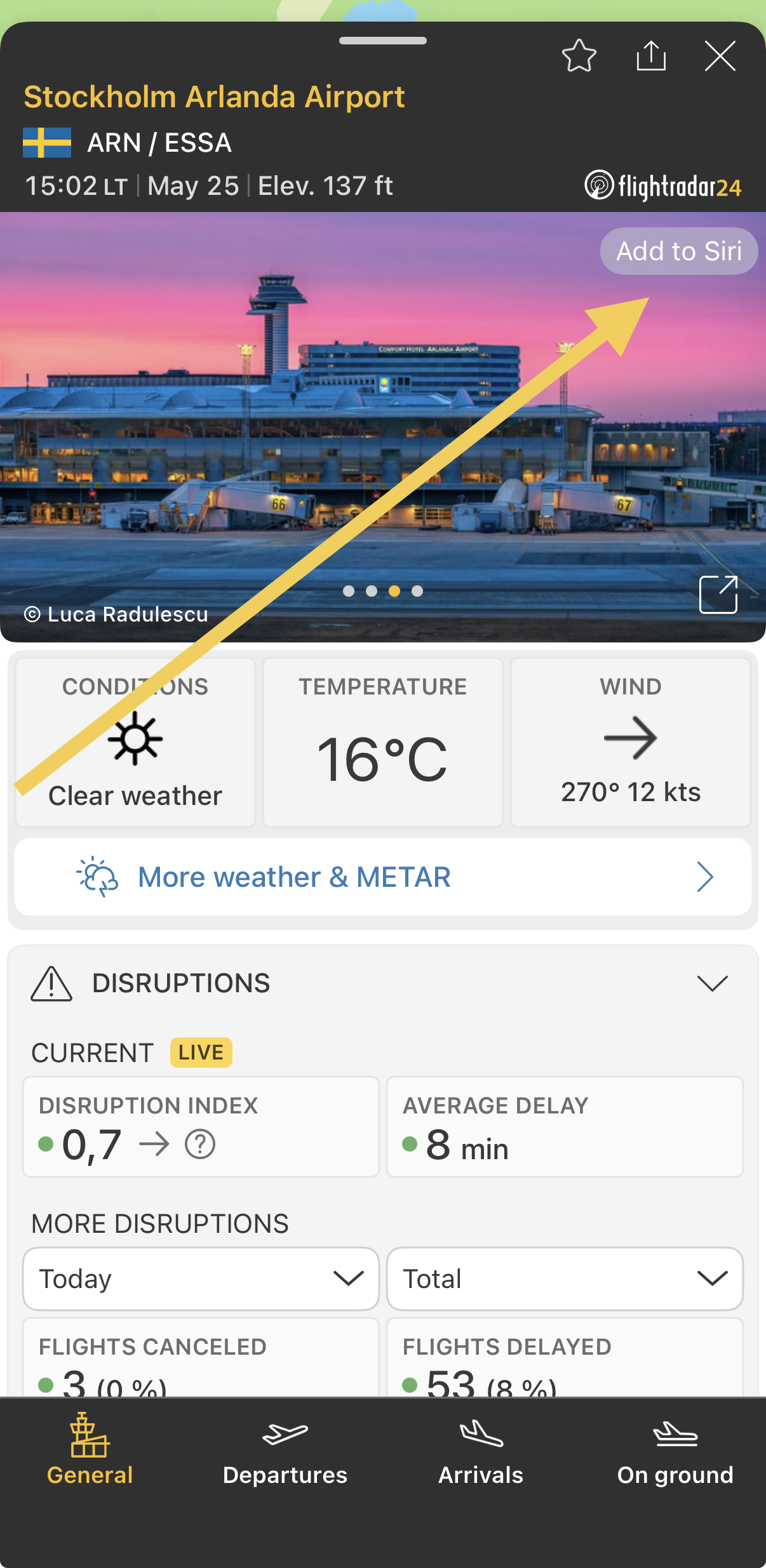
2. Tap on any airport of your choice
3. Select the tab that you wish to add to Siri (General, Arrivals, Departures, or On ground)
4. Tap “Add to Siri” at the top right corner of the screen
5. Complete the steps provided by Apple
Was this article helpful?
That’s Great!
Thank you for your feedback
Sorry! We couldn't be helpful
Thank you for your feedback
Feedback sent
We appreciate your effort and will try to fix the article