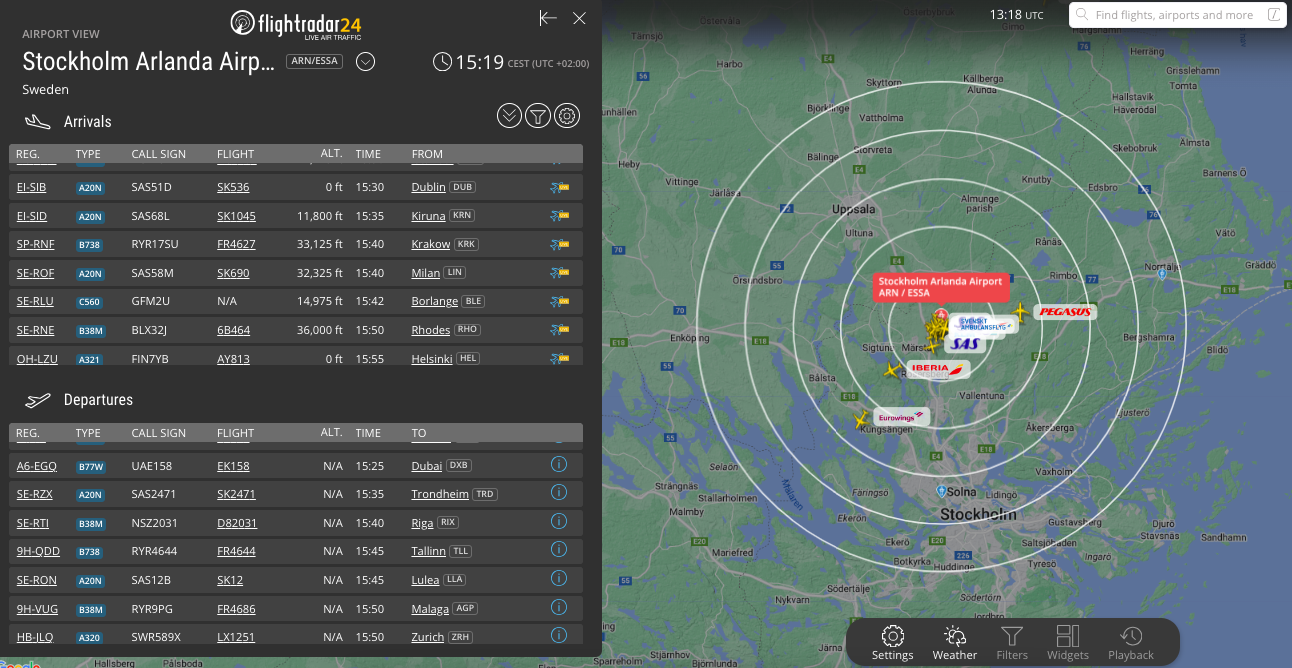
Airport view is available to our Business subscribers. It allows you to turn your screen into a departure/arrivals board while the flights are still displayed on the map and customize the view according to your preferences.
Within Airport view, you can adjust the columns, change the refresh time, adjust the default zoom level, show airport flights only, enable and modify the airport radius circles, and turn on the automatic flight shuffle. You can also apply filters to view and quickly scroll back to the current time on board with just one click of a button.
You can access Airport view from the main map > View > Airport > Select airport.
Was this article helpful?
That’s Great!
Thank you for your feedback
Sorry! We couldn't be helpful
Thank you for your feedback
Feedback sent
We appreciate your effort and will try to fix the article